Context:
TOMRA create optical sorting machines for food, recycling and mining.
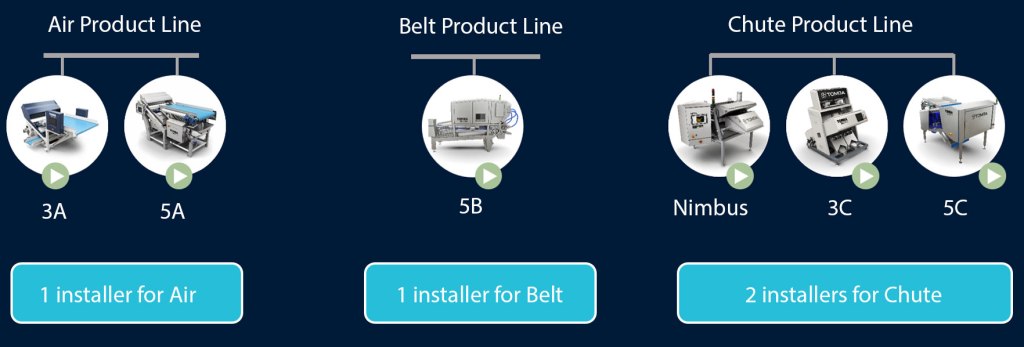
The organization operates multiple optical sorting machines created by multiple companies, each with its own installer, configuration process, and user interface. This fragmented experience lead to inefficiencies, increased training time, and a higher risk of user error during setup and maintenance. The goal was to bring all these legacy machines onto one platform the unified installer was one task to achieve this goal.
Problem Statement:
Optical sorting machines rely on a diverse set of software components, vision systems, sensor drivers, and user interfaces. They are often built using different technologies and maintained by separate teams. Technicians and operators face inconsistent installation workflows across different sorting machines. Each installer has unique steps, dependencies, and UI patterns. This results in a steep learning curve and it also leads to redundant effort and reduced operational agility, creating the ability to fail the installation with minor human error.
cORE GOAL
Create one installer framework that can deploy, update, and maintain sorting‑machine software across many technology stacks—while keeping the workflow simple for technicians and operators.
Users:
- Field technicians responsible for machine setup and maintenance
- Service and sales engineers
- Internal training team
- Internal support teams troubleshooting installation issues including QA
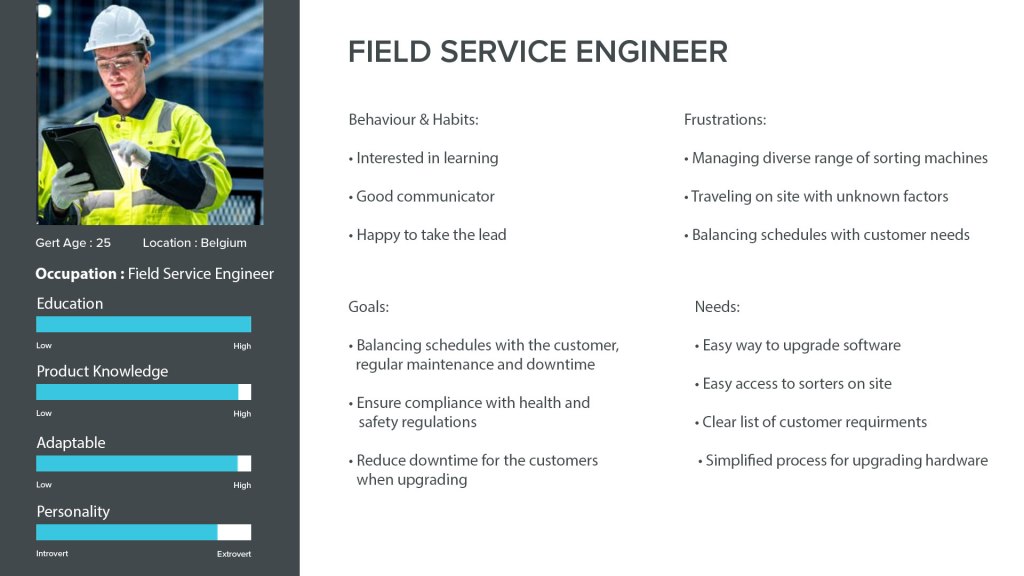
Created a persona for our target users
We used this persona to ensure we are working on viable plan for our users.
I created a Research plan for each type to find common themes
Chute inspection Air inspection Belt inspection 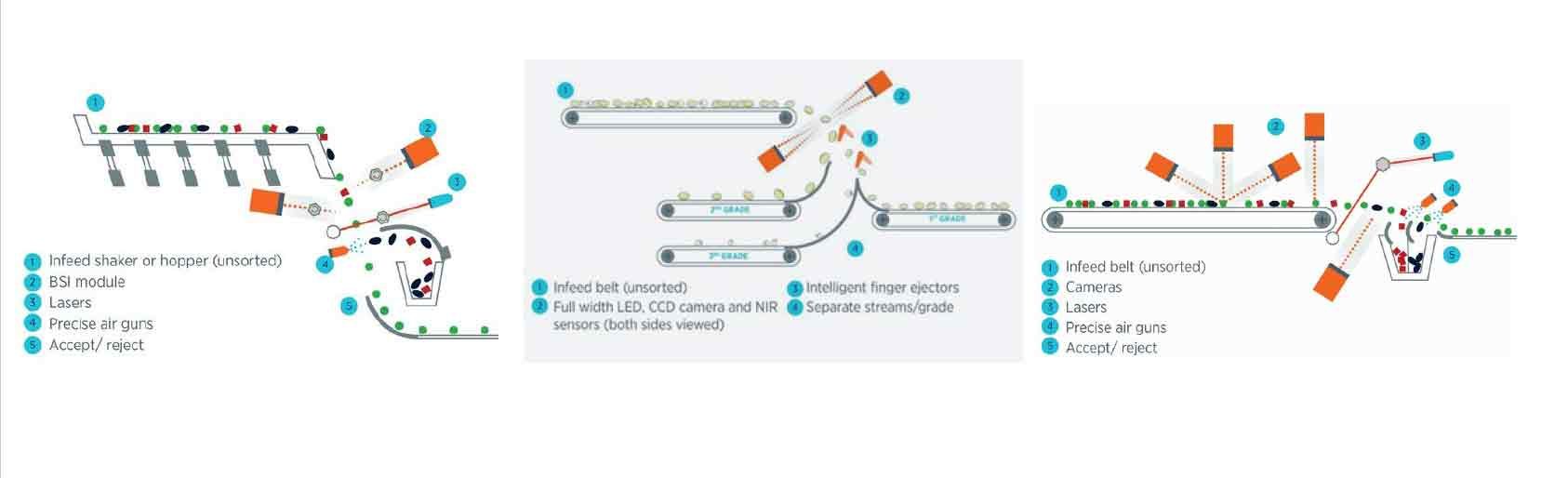
Research Objectives
- Understand pain points with current installation processes
- Identify commonalities and differences across existing installers
Early methods of research included
- Review the training documentation
- Interview and observations with the technical users
- Preform an install to understand the flow
I split the team into areas with one member to research each sorter type – belt, air and chute
Regroup and define the issues
- Used Miro to gather findings and group themes
- Found the common patterns to create a simpler installer
- Size, sensor types, ejection methods and alarms common to all
- Documented all options across multiple legacy installers
- Grouping settings that are dependent on each other
- Ideate and sketch out ideas to quickly validate design concepts and workflows
DEFINED cLEAR OBJECTIVES
| One installer for all machines | No more maintaining multiple installers |
| Cleaner workflow | Faster onboarding and fewer mistakes |
| Easier updates | Push new modules without rewriting multiple installers |
| Future proof | Add new technologies without redesigning the system |
| Lower maintenance cost | One codebase instead of many |
Workshop with a Field Service Team members
The objective was to break down silos and share experiences between teams. Each team member walked us though the installer they prefer or were used to using. After this we used a white board in the machine hall to map out commonalities.
- Found common likes and dislikes on legacy installers
- No one liked downloading and unpacking before starting the installation
- Also the extra step of making a backup if installation fails
- Recorded metrics IE: time on task, number of clicks and error rate
- Got the expert input on what settings are no longer relevant
- This needed to be verified by the Customer Relations Team as not everyone was in the workshop. I verified by getting a complete list of new sorters and the requirements.
- Explore user expectations for a unified installation experience
I present the basic concepts to the developers for feasibility checks
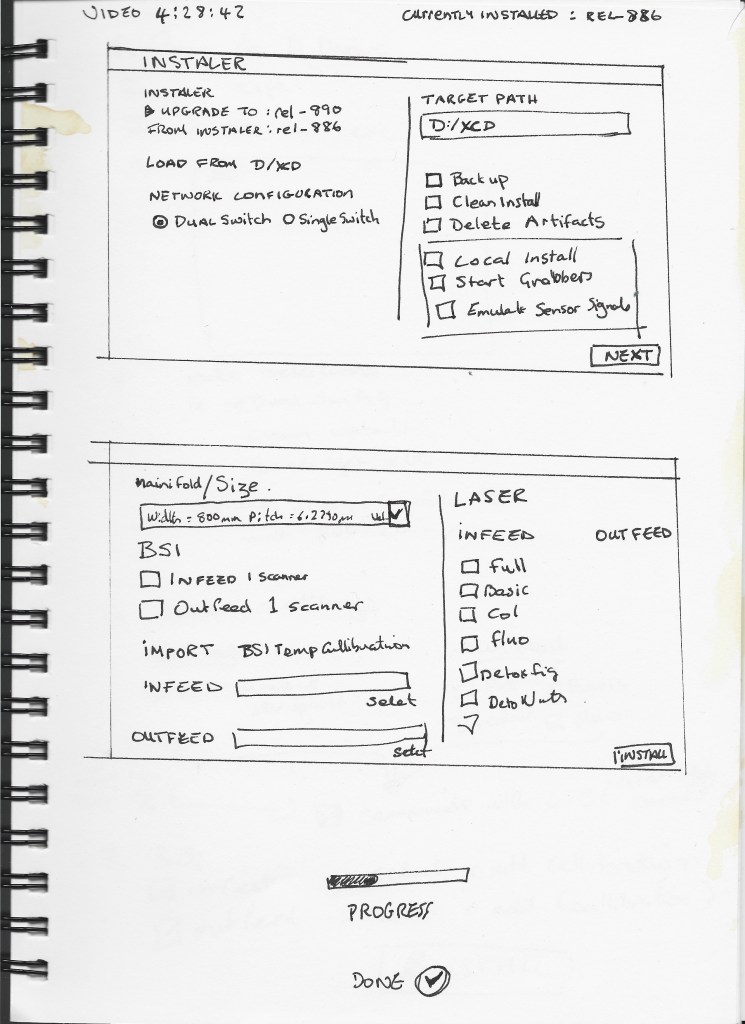
UX approach of a single package which requests the user to choose which type of machine they are running. Once selection is confirmed the Field Service Engineers are directed to the correct Installer options and continue from there as you would on a regular install.
As each sorter type belt, air and chute all have many installation options depending on the sale
- The installer can be used to setup the different Sorter configurations
- The installer should be self-extracting – remove manual extract step
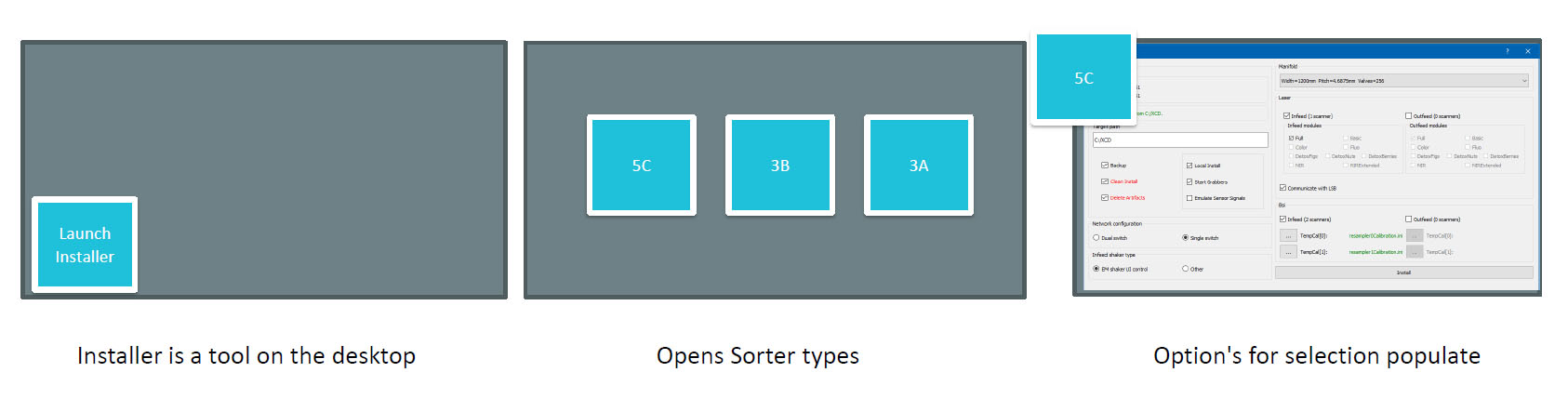
- Launch the installer
- Choose the sorter to install – Certain selections will be predefined with this selection
- Air, Belt or Chute
- Type of ejectors fingers or air jets
- Number and types of sensors IE: BSI, Laser etc
- The options for individual sorters are available when the machine type is selected.
- Size
- Pitch for ejectors
- Options for sensor types
- 2 way ejection option for belt and air sorters
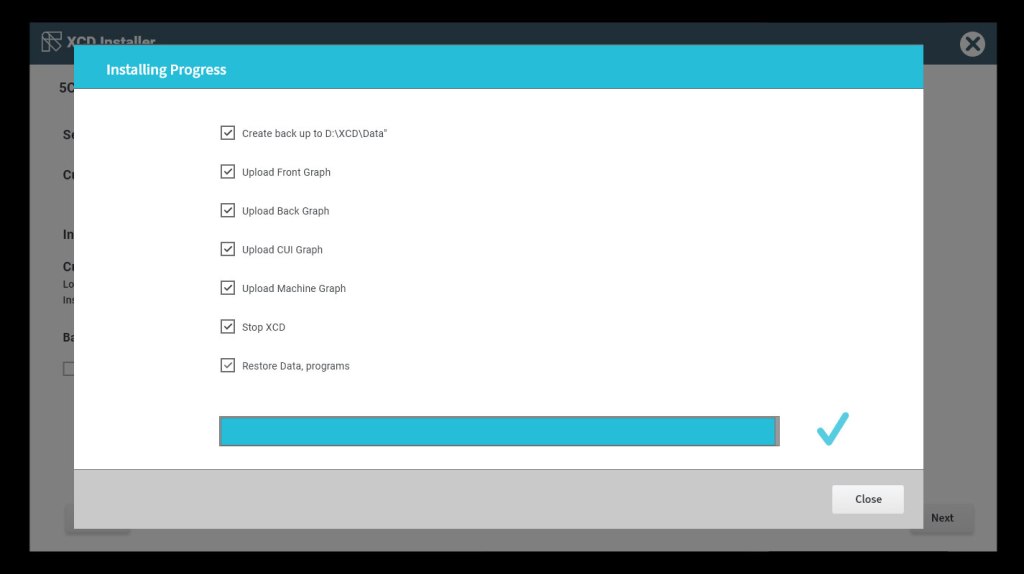
- Progress bar while installing with feedback if it fails
Some high level feedback from developers and target users
- We should aim to deliver a product, not to deliver libraries for the different teams to pick and choose. This means 1 application & 1 sorter model
- We should aim to de-couple where it makes sense so machines are not dependent on each other for releases. Example given is Program Management operating independently from Alarms. We should look to our existing bounded contexts to see what can be applied here
- An idea is to have feature toggles for future sales and upgrades
- There is a valid remark that handling machines separately is easier overall, however this is not in line with how the business wants to approach machines in the future (currently we have many code bases & different ways of working that makes maintenance difficult longer term)
- Install offline from the technician’s laptop
- Install online from insight? Future Request
- Copy program across machines
- Save a «good» program to port later
- How will QA handle R&D requests to test previous builds?
Key take away for UX was by creating something so simple for the user we were blocking the QA and R&D Team from adding and testing new developments IE: adding new laser modules.
Customer Visits for further insights
Research Objectives for the onsite visits – I decided to shadow the service teams on 3 site visits with 4 Field Service Engineers to fully understand the issues mentioned
- Understand user pain points with current installation processes in the field.
- Identify issues to make life easier for our team and reduce human error
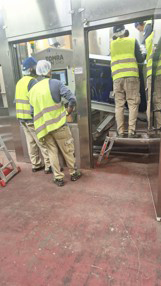
Key findings
1. Very noisy difficult to communicate
2. Customers do not like the team bringing laptops on sight during production
- Check with the Software architect to see if this new installer could be packaged on a USB for ease of use on site
3. The team often upgraded and reinstall multiple sorters in the one visit
Review of proposed install including THE features for QA and R&d
I created wire-frame based on feedback of the work flows to user test with the stake holders.
We can now launch test builds. Additionally, we can add new technology linked to a repository for QA and R&D only.
- The installer should check if there is disk space to install the new version
- The installer can be used to setup the different sorter configurations
- The installer should be self-extracting – remove manual extract step
- The installer creates a automatic backup of previous installed version
- After installation – the installer removed the temporary installer artifacts
- The exit is only possible when all of the packages have been transferred
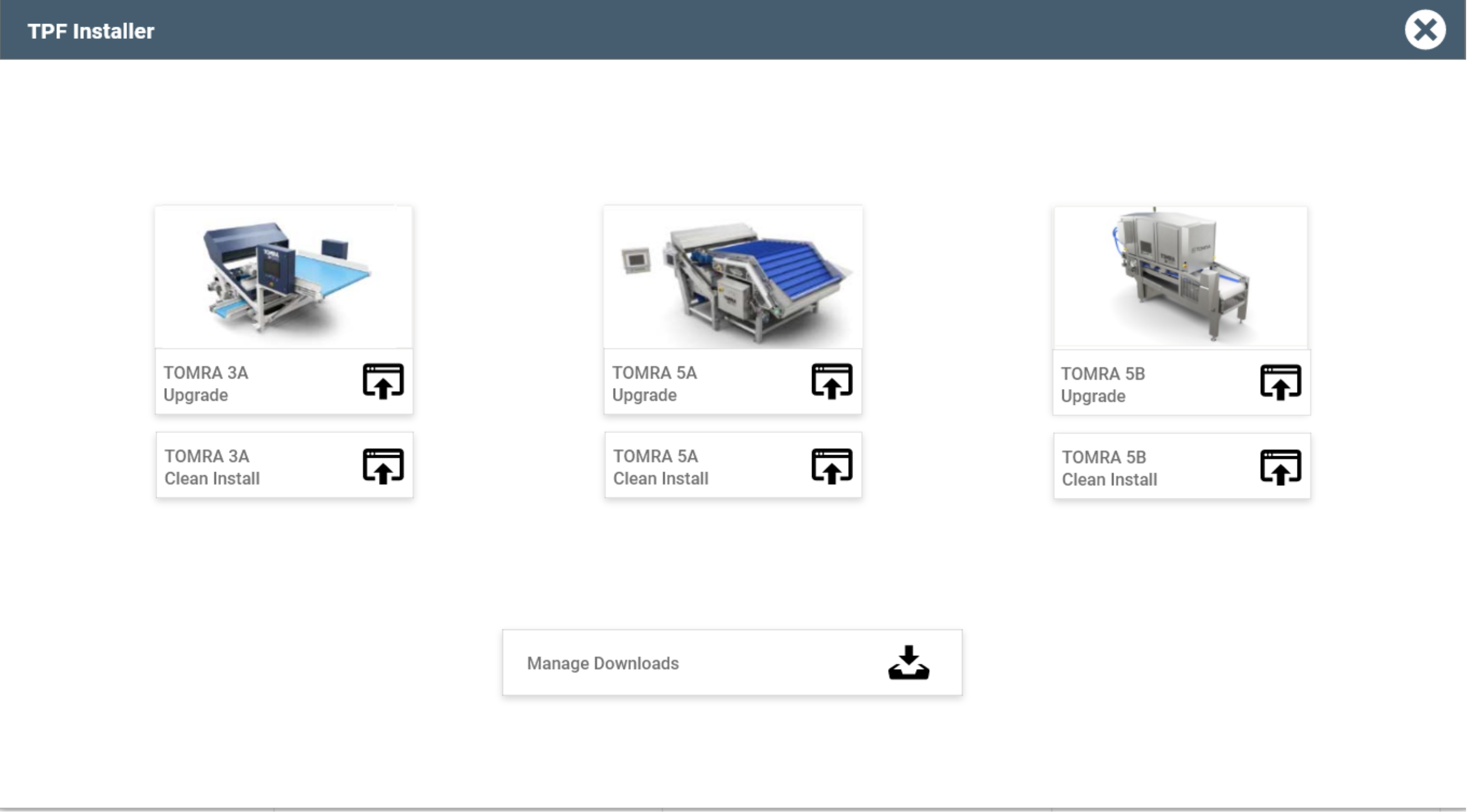
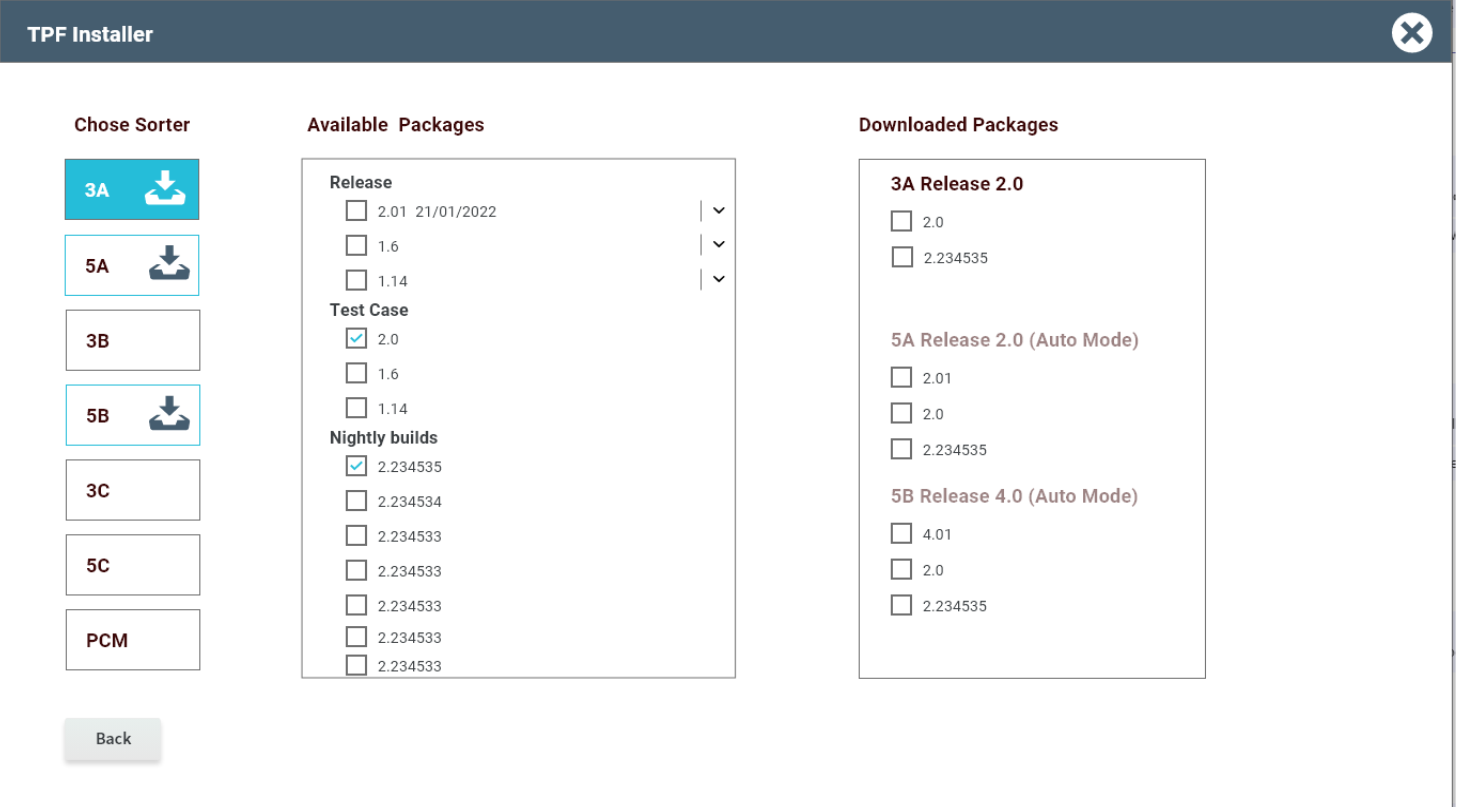
- Tapping Manage Downloads opens the tool
- Linked to the repository of Packages to install
- Released versions open to everyone with the tool
- R&D have access to everything including nightly builds for testing
Proposal for the Question on Simulation Locally
Comments from stakeholders
- Everyone felt it was a improvement good to have.
- This service should not be for the service team R&D only.
Requests from Quality Assurance and Sales and Service Engineers
- Copy programs from sorter to sorter
- Copy applications
- Clone a sorter
- Run local installer on the sorter not just a laptop
I presented theses findings to all stakeholders including management. While these extra features would be nice to have internally, they are out of scope for the clean and clear installer for our Field Service Team.
We decided to build a separate in house tool the QA and Research and Development team. This tool is necessary for testing new technology in development. However, it is not suitable for the new installer.
New flow for the installer
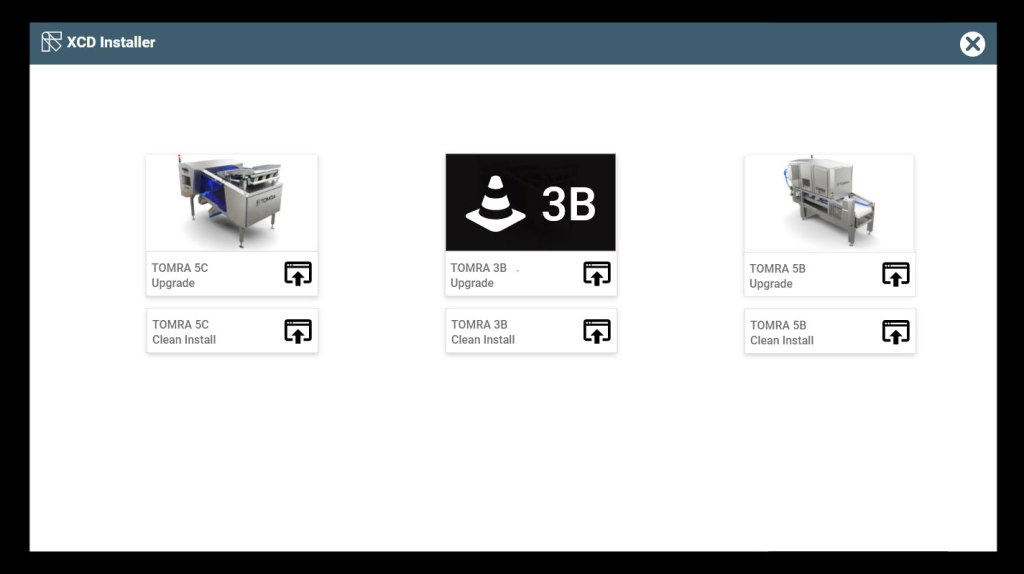
A streamed down version the new installer will detect if it is a clean install or upgrade that is required.
The installer is a stand alone product. The Field Service Team downloads the latest version on a USB. They do this before going to the customer’s site.
- Choose Sorting Machine type to upgrade from installer stored on USB for safety in the factory setting
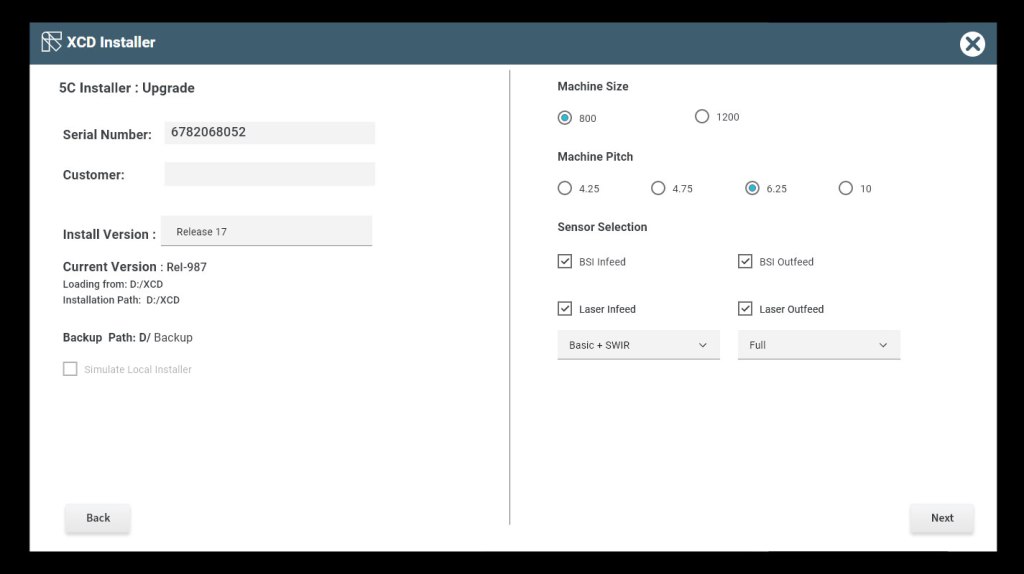
2. On Upgrade the Sensor configuration persists with customer details – tap next to install
3. The new Installer progress informs the user if and where an issue may occur
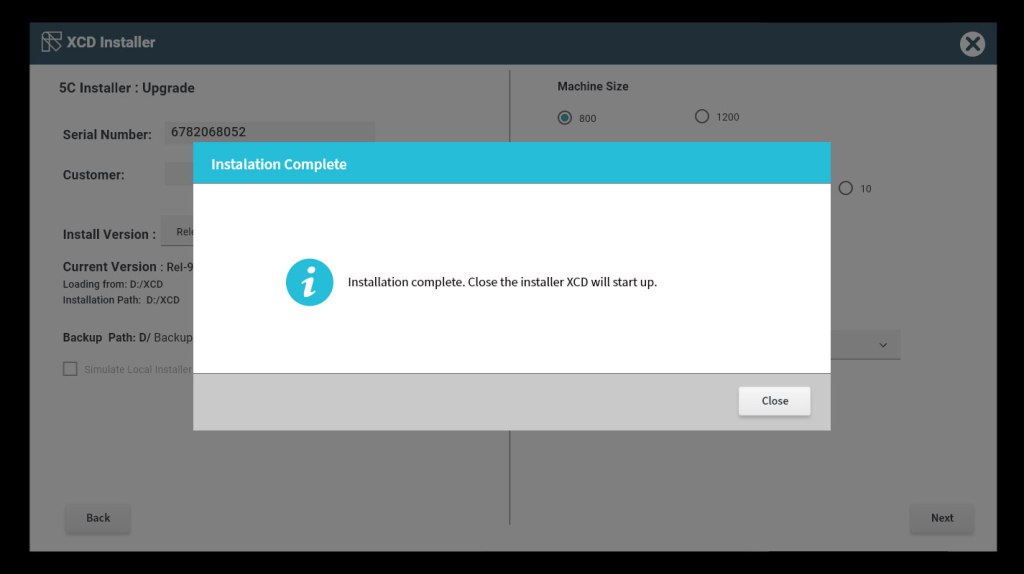
4. Once installation is complete tap close, this automatically launched the Sorters UI
Post research and design Pre DEVELOPMENT
- Created the user stories along with the product owner breaking the tasks down into testable stories ensuring all design components are in place for developers
- Held the “3 Amigo” meetings with a developer and a tester to ensure the outcome behavior was clear to all using Behavior Driven Design methods
- Added the new component type to the Design System for developers
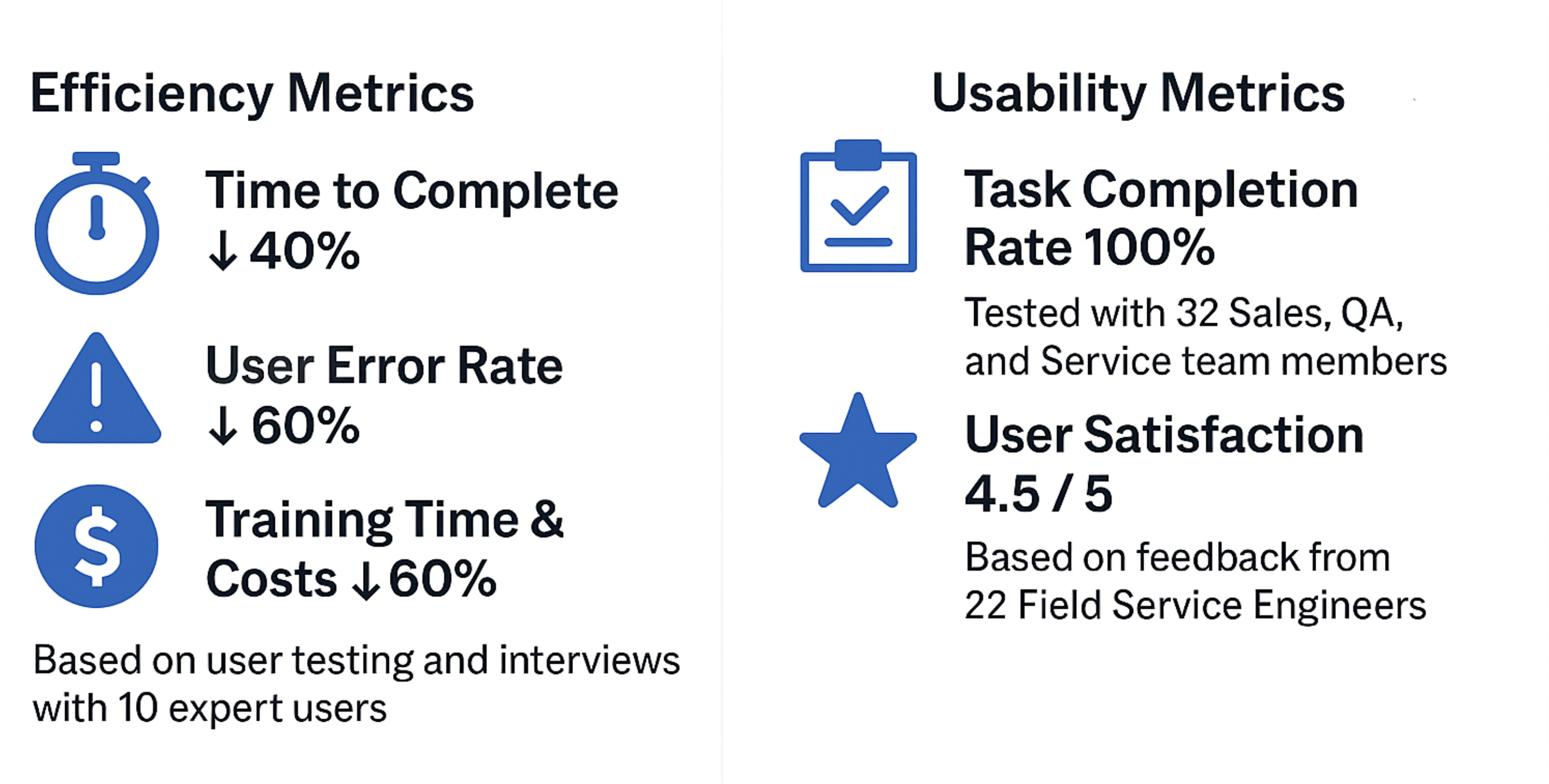
Post completion usability testing – Efficiency & Usability Metrics
Goal: Verify that real users can complete key tasks after launch. Then collect quantitative UX metrics, and surface any functional issues for prioritized fixes.
Record sessions and capture console for 10 expert users.
“If you follow this list given by the Customer Relations Management team, this is error proof for a trained Field Service Engineer.”
Feedback from Field Service Engineer
Unified installer can grow as we grow

 Sue Kenny